Over the years, I have built quite a few DevTools: UnoCSS Inspector, Vite Plugin Inspect, Vitest UI, Nuxt DevTools, ESLint Config Inspector, and Node Modules Inspector, among others.
They look quite different, but fundamentally they all try to do the same thing: make implicit state visible. Instead of guessing why a CSS utility was generated, how a module was transformed, or which configuration applies to a file, we can see the process directly and interact with it.
Despite their different purposes, these tools share a surprising amount of infrastructure: client-server communication, state synchronization, serialization, static asset hosting, and a web interface. Each one also needs to decide how it is packaged, distributed, mounted to a server, and connected to its host. In practice, every tool ends up rebuilding many of the same pieces in isolation.
The same pattern appears across the ecosystem. Frameworks and build tools are building their own DevTools, often with overlapping capabilities such as data inspectors, asset viewers, build analyzers, terminals, and editor integrations. Yet most of them are tied to a specific framework and to the details of its development server: how it serves assets, handles requests, and upgrades connections. As a result, similar features are rebuilt and improved separately.
What if we could free DevTools from those boundaries? If each capability were reusable and modular, it could benefit every supported host. Instead of spreading the work across several versions of the same idea, communities could join forces on one tool and make it much better together.
This is the vision of a Universal DevTools Ecosystem I started sharing back in 2023, in Now, and the Future of Nuxt DevTools and Anthony’s Roads to Open Source - The Set Theory:
General
Build Tools
 Vitest
 Oxlint
 Rolldown
 Rsdoctor
Frameworks Specific
Ecosystem
 TanStack
 Histoire
 Node Modules
The diagram was aspirational. The direction felt right, but finding the boundary that could make it work was much harder.
The idea stayed with me as the work moved from Nuxt DevTools to Vite DevTools. When I joined Vercel and started working on Vite DevTools, I finally had the opportunity to explore it on a broader scale. Vite gave us a concrete home to prove the experience, but the goal was always to open it to other build toolchains. Each iteration taught us something new, while LLMs made it much faster to explore and validate the design. Gradually, the right boundary started to emerge.
Today, the vision is finally becoming something not far away. Let me introduce you to Devframe.
Devframe
Devframe is a framework-neutral foundation for defining a DevTool once, then bringing it to different hosts, standalone surfaces, and agents.
You can think of Devframe as a framework for building DevTools, in the same way Nuxt or Next.js provides a framework for building web applications. At the integration layer, it plays a role similar to unplugin: while unplugin gives plugins a common interface across bundlers, Devframe gives DevTools a common definition across hosts.
A Devframe definition describes one tool: its capabilities, RPC functions, shared state, web interface, diagnostics, and agent-facing surface. From that definition, Devframe creates a Web Standard request handler that can be mounted almost anywhere.
One Definition, One Standard Handler, Many Adapters
Every Devframe starts with defineDevframe(). At its core, it associates a tool’s identity with the capabilities it provides:
// my-tool.ts
import { defineDevframe } from 'devframe'
import { inspectProject } from './rpc'

export default defineDevframe({
  id: 'my-tool',
  name: 'My Tool',
  // Package metadata and client entry omitted...
  setup(ctx) {
    ctx.scope('my-tool').rpc.register(inspectProject)
  },
})
The definition is independent of its presentation. initDevframe() turns it into a live instance:
// server.ts
import { initDevframe } from 'devframe/initiate'
import myDevframe from './my-tool'

const myTool = initDevframe(myDevframe, {
  base: '/__my-tool/',
})

myTool.handler
// Web Standard Request -> Response handler
// (request: Request) => Promise<Response)

myTool.nodeMiddleware
// Traditional connect-style middleware
// (req: IncomingMessage, res: ServerResponse, next: () => void) => void
The handler becomes the tool’s boundary. Behind it, Devframe serves the web interface, connection metadata, live RPC, authentication, and optional MCP endpoint under one namespace. The tool is no longer tied to a particular development server API; all the host needs to understand is the Web Standard Request and Response. This handler-first model is greatly inspired by Comark Content.
Modern frameworks, runtimes, and build tools already converge around this boundary. Hono and Nitro work with Web Standard requests directly. Next.js and SvelteKit expose route handlers. Vite and Rsbuild accept Connect-style middleware, for which the same instance provides nodeMiddleware:
// server.ts
import { Hono } from 'hono'
import { devtools } from './devtools'

const app = new Hono()

app.all(devtools.base + '*', c =>
  devtools.handler(c.req.raw),
)
That is almost the entire portability trick. Any framework or build tool that supports Web Standard handlers or Connect-style middleware can mount the same Devframe and gain access to the same ecosystem.
Adapters as Conveniences
The handler is the smallest common denominator. For common entry points, higher-level adapters package it into familiar forms. The same definition can become a standalone CLI, a dedicated dev server, a Vite DevTools plugin, an MCP server, or a static report:
import { createPluginFromDevframe } from '@vitejs/devtools-kit/node'
import { createBuild } from 'devframe/adapters/build'
import { createCac } from 'devframe/adapters/cac'
import { createDevServer } from 'devframe/adapters/dev'
import { createMcpServer } from 'devframe/adapters/mcp'
import myDevframe from './my-tool'

// Pick the entry points your package needs:
export const runCli = () => createCac(myDevframe).parse()
export const startServer = () => createDevServer(myDevframe)
export const vitePlugin = createPluginFromDevframe(myDevframe)
export const startMcp = () => createMcpServer(myDevframe, { transport: 'stdio' })
export const buildReport = () => createBuild(myDevframe, { outDir: 'dist-static' })
A package can ship several of these entry points at once. For example, a build inspector could offer a standalone CLI for any project, generate static reports in CI, appear as a dock inside Vite DevTools, and let an agent query the active build—all backed by the same definition.
We are already using this model in Node Modules Inspector, ESLint Config Inspector, and Vite Plugin Inspect. They remain focused tools with their own interfaces, while sharing Devframe underneath. You can find more examples on the Built with Devframe page.
The frontend is up to each tool as well. Devframe handles the protocol and runtime, while the tool can choose whichever UI framework and design system suits it. To dogfood that promise, the built-in plugins span Vue, Svelte, Solid, React, and Next.js.
 Rsbuild
Visual and Agentic
As agents become part of our development workflows, a DevTool no longer has to be only a panel for humans. Our goal is for it to also offer a structured interface to its internal state and capabilities—something agents and other tools can access programmatically.
The two interfaces play to different strengths rather than replacing each other. Visualizations are effective for exploration, overview, and comparison. Agents can retrieve focused context, correlate it with the codebase, and carry out multi-step actions. The presentation changes, but the source of truth stays the same.
In Devframe, RPC functions stay private by default and must be explicitly exposed to agents. The MCP adapter translates those functions, readable resources, and selected shared state into an agent-consumable surface. Descriptions, schemas, and safety metadata help agents understand when and how each capability should be used.
There is another interesting piece here. Devframe integrates with Vercel’s json-render, allowing a UI to be described as serializable data from a constrained component catalog. This makes it easier for agents to generate dashboards and interactive tools while keeping the output predictable.
The same mechanism also enables server-provided UI: a Devframe publishes the view and its state, while the host provides the renderer. With the prebuilt reference UI, a tool can get started without authoring or building a custom client at all. The protocol remains renderer-agnostic, so each host can render the same view with its own framework, components, and design system.
We are still exploring the APIs and practices around discoverability, permissions, context usage, and the relationship between visual and agentic workflows. We would love to hear ideas and advice from the community as these patterns evolve through real integrations.
Built-in Plugins
Of course, an abstraction only becomes convincing when real tools can live on it. To test Devframe’s capabilities and framework-agnostic design, we ship a few official plugins as reusable working examples. They are intentionally built with different frontend frameworks, and each can run standalone or be mounted into a supported host.
Here are a few examples:
Data Inspector
@devframes/plugin-data-inspector is built with Vue and provides an interactive workbench for live server-side objects. A tool can register an object as a data source, then explore and query it with Jora inside the process that owns it.
Standalone, it can inspect JSON or JSONL files, build a self-contained report, or attach to a running Node.js process. This is useful for inspecting stores, caches, framework contexts, build metadata, or other states that would otherwise require custom logging.
You can try it standalone with:
pnpx @devframes/plugin-data-inspector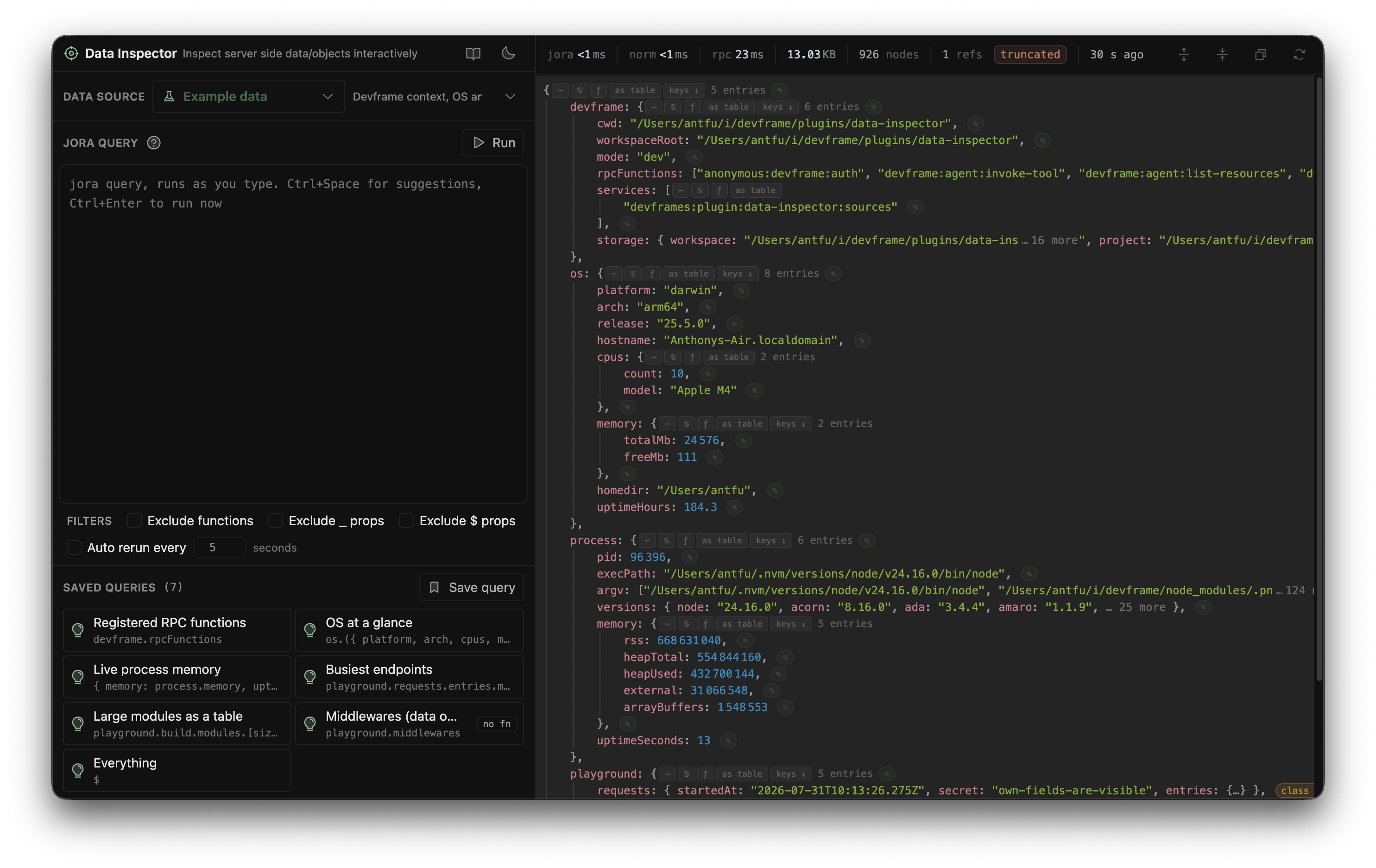
When integrated, other tools only need to contribute data sources. A Vite plugin could expose its plugin container, a framework could expose runtime state, and a test runner could expose its test graph. All of them can reuse the same query workbench and data viewer instead of building another inspector for every host.
Terminals
@devframes/plugin-terminals is built with Svelte and provides a browser-based terminal panel supporting read-only process output and interactive PTY sessions.
This separates the process-running capability from the tool that renders it. A host can give multiple tools a consistent place for subprocess output and interactive commands, without mixing every task into the user’s main terminal.
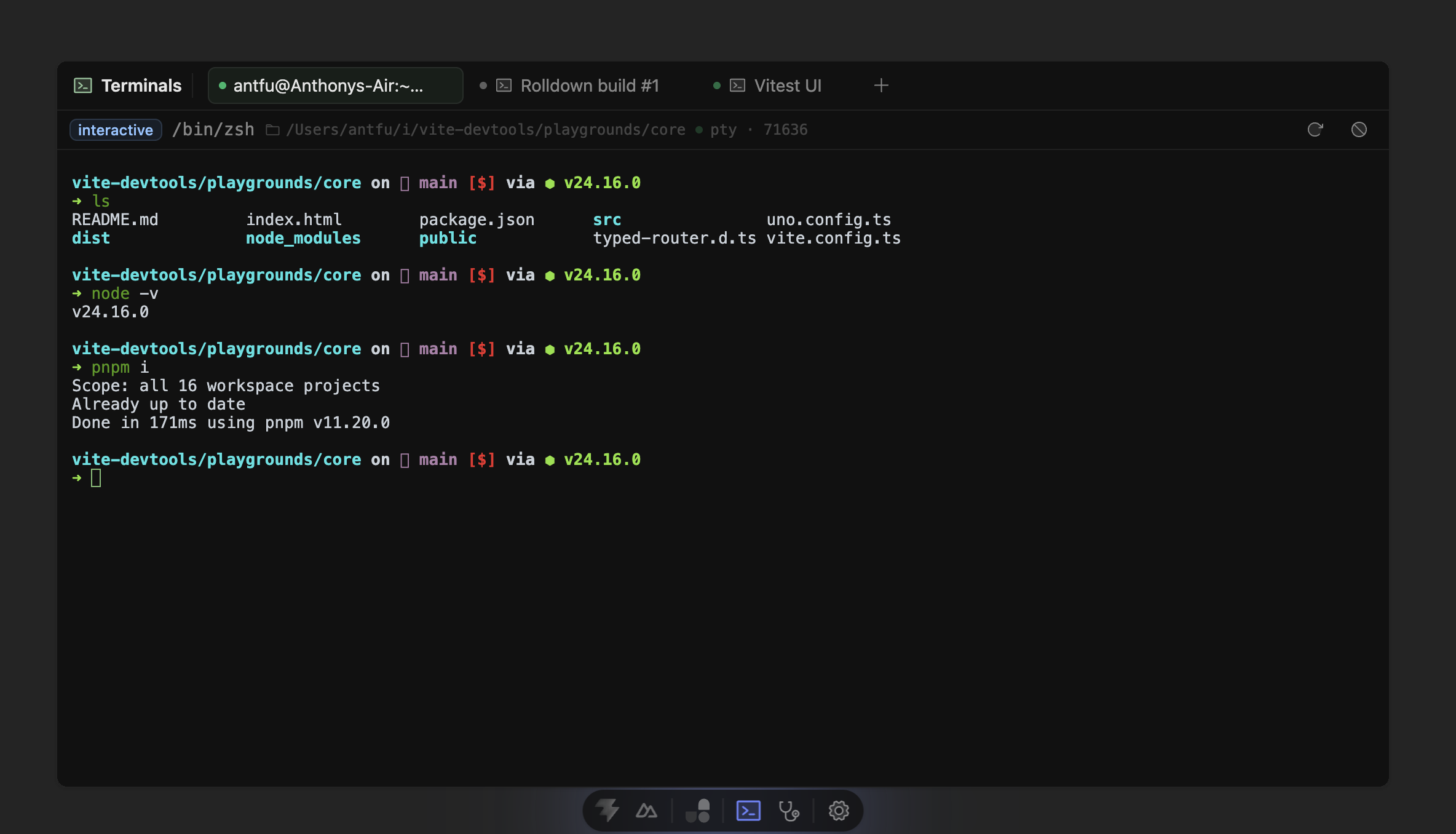
It can also run standalone:
pnpx @devframes/plugin-terminals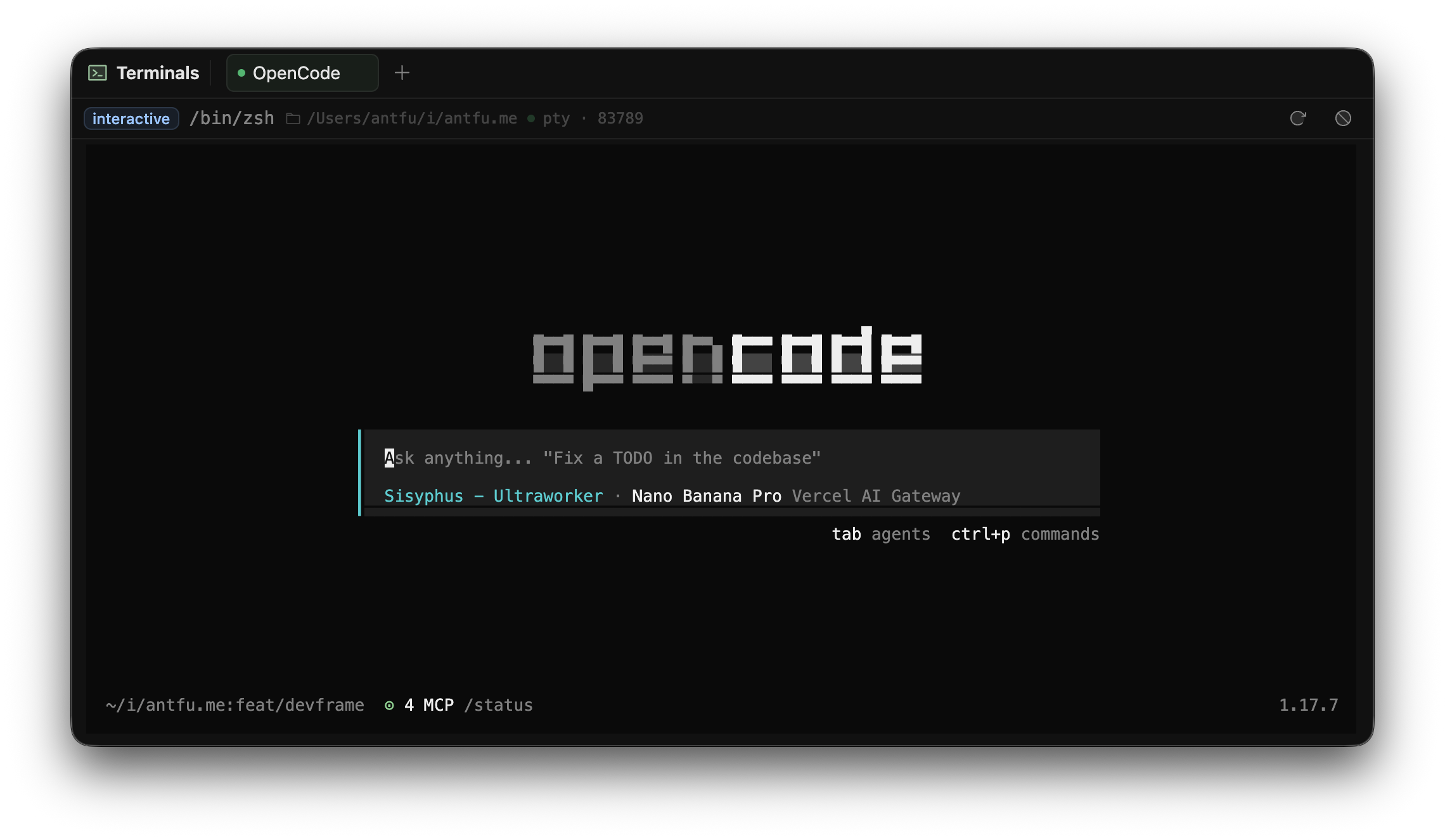
This opens the interactive terminal directly in your browser. You can use it to manage processes, run commands, or even run agents like Claude Code without leaving the browser.
Accessibility Inspector
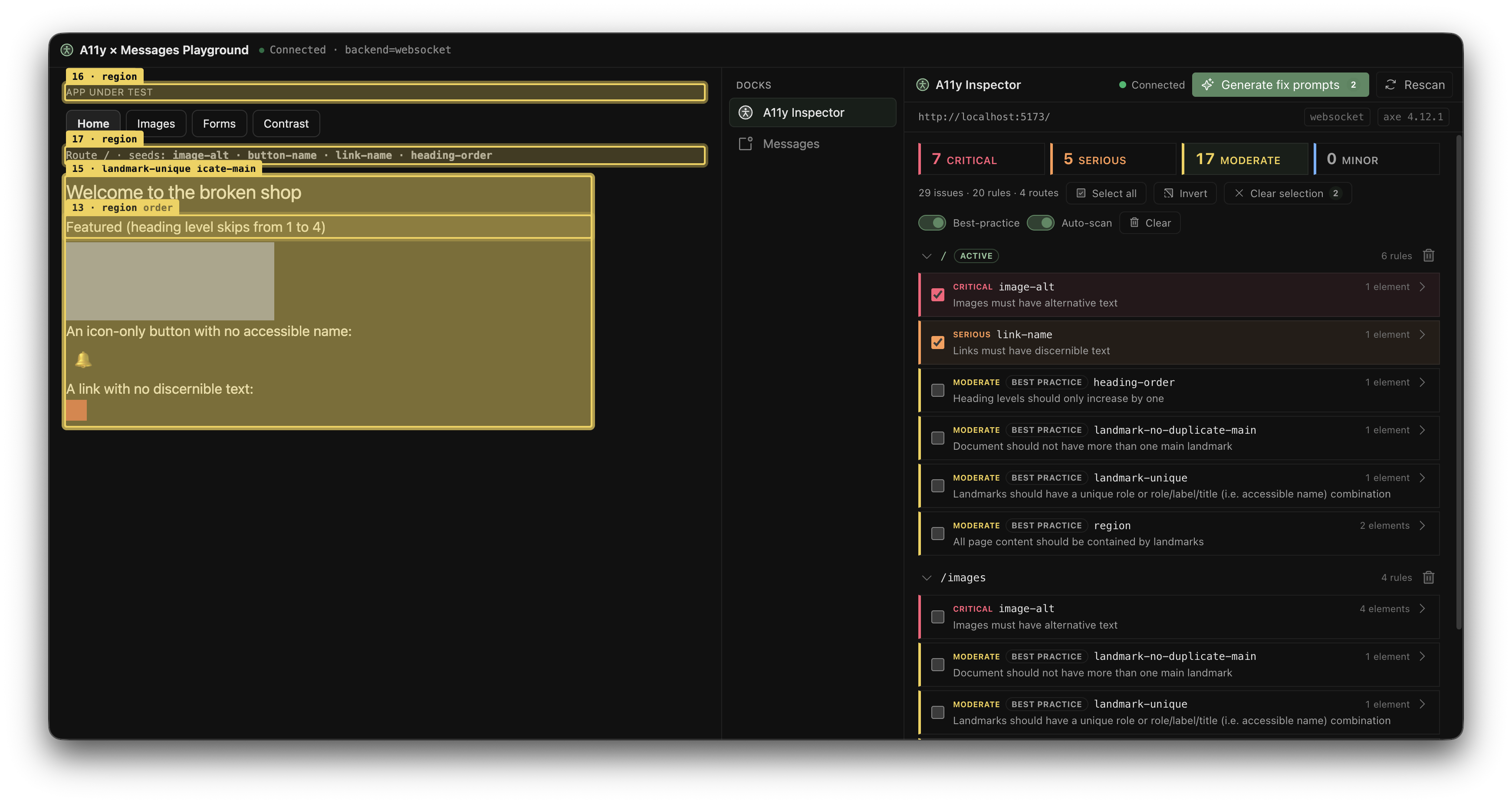
@devframes/plugin-a11y is built with Solid. It scans the host application with axe-core, lists WCAG violations, and highlights the corresponding elements on the page. It can also turn the findings into fix prompts for agents, connecting visual inspection with an agentic workflow.
Standalone, its panel and injected scanner can inspect any page. Inside a DevTools host, the same findings can also be mirrored into the shared message feed.
It is heavily inspired by @nuxt/a11y, which brought real-time accessibility feedback into Nuxt DevTools. Extracting the idea into a Devframe plugin makes the same capability available beyond Nuxt.
More Plugins
Other official plugins cover a VS Code editor on the web, asset management, a Git panel, Open Graph previews, and Devframe’s own RPC and state inspector. What they share is the Devframe definition and protocol, not a frontend stack.
These plugins are not meant to be a complete set of tools. They show what Devframe can support and offer starting points for communities to build their own. I believe many more interesting DevTools will emerge over time. You can follow the growing list on Built with Devframe.
From One Devframe to a DevTools Host
So far, we have one portable DevTool. But once several Devframes are active together, another problem appears: discovery. How do users find and move between them?
Many DevTools log their own URL to the console:
~ pnpm dev

  VITE v8.2.1  ready in 32 ms

  ➜  Local:  http://localhost:3333/
UnoCSS Inspector: http://localhost:3333/__unocss/

> Visualized ESLint Config: http://127.0.0.1:3333/.eslint-config/
  ➜  Vite Inspect: http://localhost:3333/__inspect/
Sometimes DevTools also inject floating buttons into the host application:
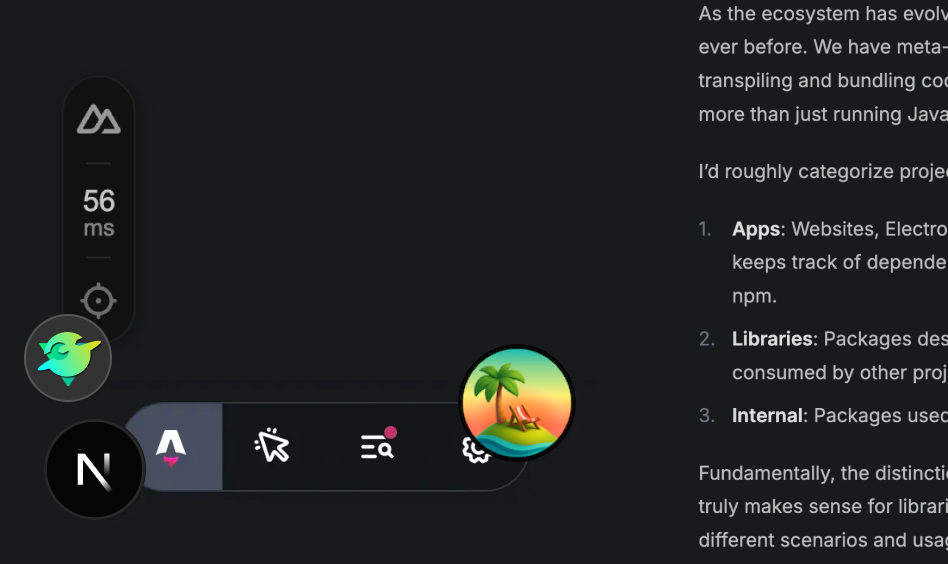
(this is a made-up example to demonstrate the problem)
As more tools join the project, the console becomes a directory of URLs and the page gains a collection of unrelated floating buttons. While that each DevTool also has to build and maintain its own discovery mechanism.
To improve this, Devframe also provides a composition layer: the Hub.
@devframes/hub is headless and framework-neutral. Multiple Devframes can register with it and contribute docks, commands, messages, terminals, and shared state. To users, they appear through one consistent entry point. To the tools, the Hub provides a shared context in which they can discover and collaborate with one another.
The same mounting model scales from one Devframe to the whole collection. initHub() puts the Hub and all of its Devframes behind one Web Standard handler:
import { initHub } from '@devframes/hub/initiate'
import { createTerminalsDevframe } from '@devframes/plugin-terminals'
import { createXxxDevframe } from '...'

const hub = initHub({
  // The common base path for all mounted Devframes.
  // `/__my-tool/` becomes `/__devframes/__my-tool/`.
  base: '/__devframes/',
  // Devframes become composable plugins of the Hub.
  devframes: [
    createTerminalsDevframe(),
    createXxxDevframe(),
    // ...
  ],
  // We ship a reference UI to make it easy to get started,
  // but you can provide your own layer to match
  // your product's design system and interaction model.
  ui: await import('@devframes/hub-ui').then(m => m.createUi()),
})

// The same handler/middleware API as a standalone Devframe.
hub.handler
hub.nodeMiddleware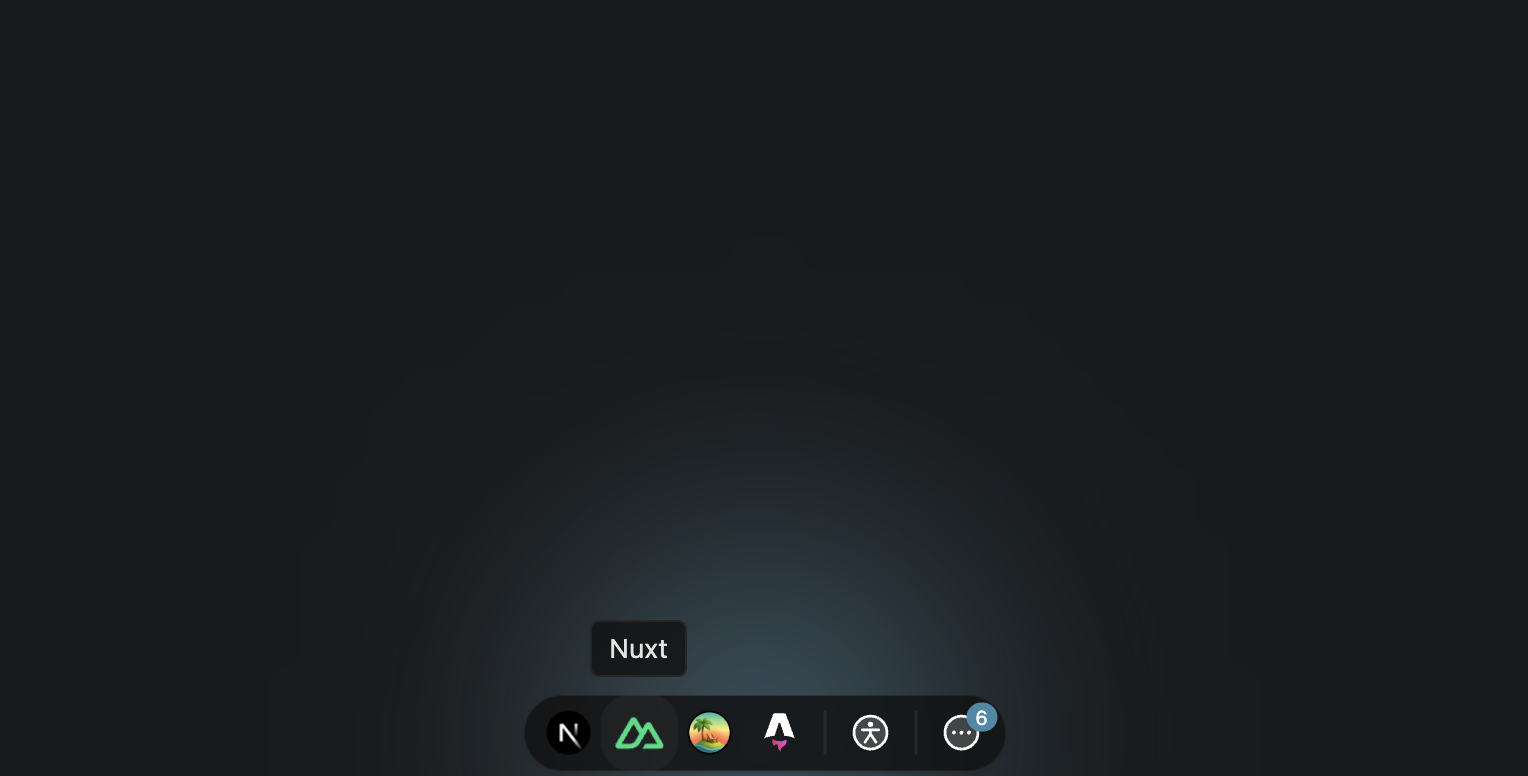
(this is a made-up example for demonstration)
Mounted Devframes share one RPC registry, state store, connection, authentication gate, and optional aggregate MCP endpoint. The Hub itself remains headless: @devframes/hub-ui provides the reference interface, while a product can bring its own UI without changing the underlying tools.
Like a single Devframe, with the standard handler, the Hub can also be mounted to almost any framework. The repository includes working reference hosts for Vite, Next.js, Hono, Nitro, and Rsbuild. Each host only connects the same handler and UI entry to its native server API. While the examples are minimal to demonstrate the possibilities, a more complete host that matches the product’s design system and interaction model can also be shipped on top of the Hub’s foundation.
Vite DevTools
Vite DevTools is the first flagship host built on this foundation. It brings a Vite-focused interface and its own integrations while using initHub() for composition and serving. Alongside Vite and Rolldown analysis, Vitest UI, and Oxc tooling, it gives independent DevTools a common place to work together.
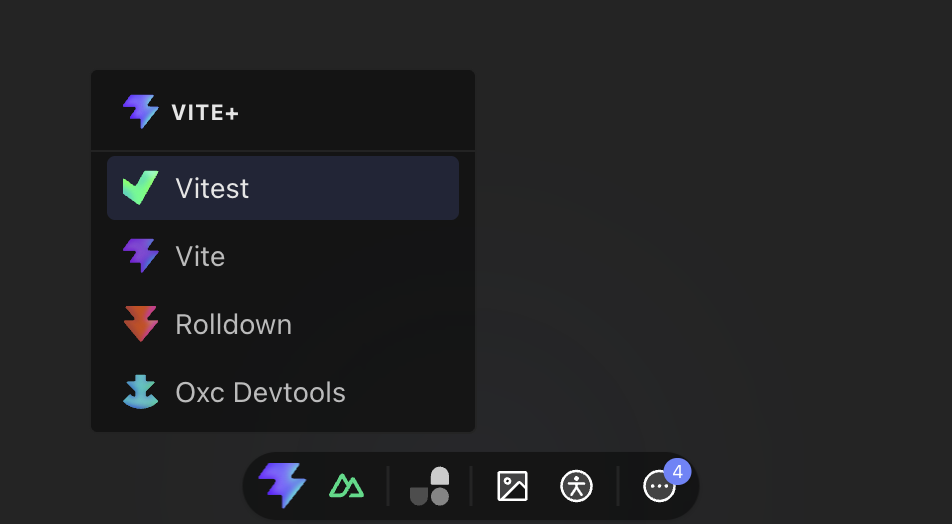
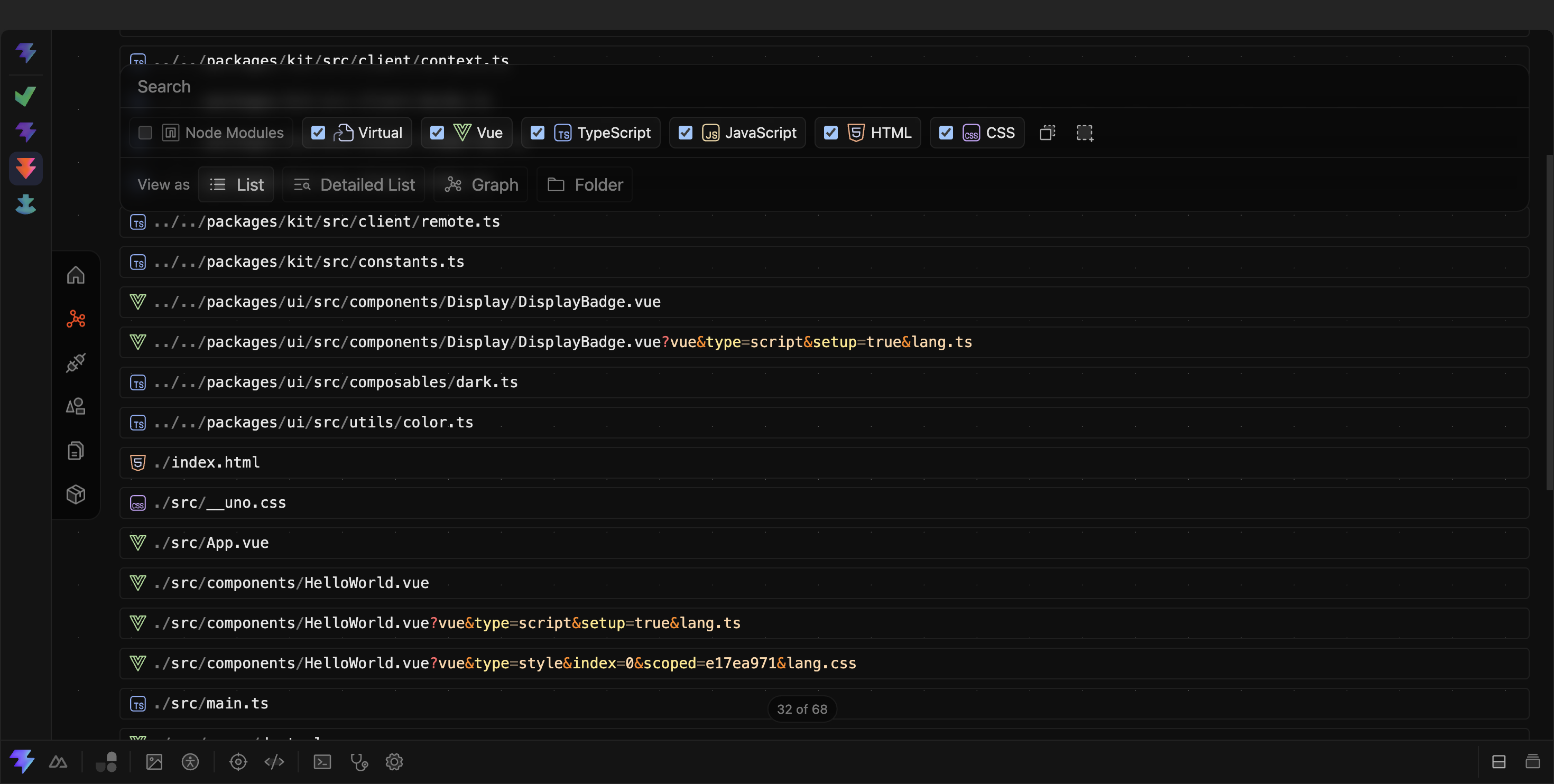
A Devframe can join Vite DevTools through an adapter. A regular Vite plugin can also contribute directly through the new devtools.setup entry:
// vite.config.ts
import { createPluginFromDevframe } from '@vitejs/devtools-kit/node'
import { createMyDevframe } from 'my-devframe-tool'
import { defineConfig } from 'vite'

const myDevframe = createMyDevframe()

export default defineConfig({
  devtools: true,
  plugins: [
    // Helper to turn a Devframe into a Vite plugin.
    createPluginFromDevframe(myDevframe),
    // A regular Vite plugin can also contribute directly.
    {
      name: 'vite-plugin-my-tool',
      devtools: {
        setup(ctx) {
          // Devframe context with Vite-specific augmentations.
        },
      },
    },
  ],
})
The adapter turns an existing Devframe into a Vite plugin. The devtools.setup entry lets Vite plugins use the same context without creating another integration layer. This makes adoption incremental: tools can start where they are and still participate in the shared ecosystem.
Nuxt DevTools
The new Nuxt DevTools v4 builds on top of both. It inherits Vite DevTools and Vue DevTools, then adds Nuxt-specific knowledge: pages, modules, auto-imports, server APIs, runtime state, and contributions from the Nuxt module ecosystem.
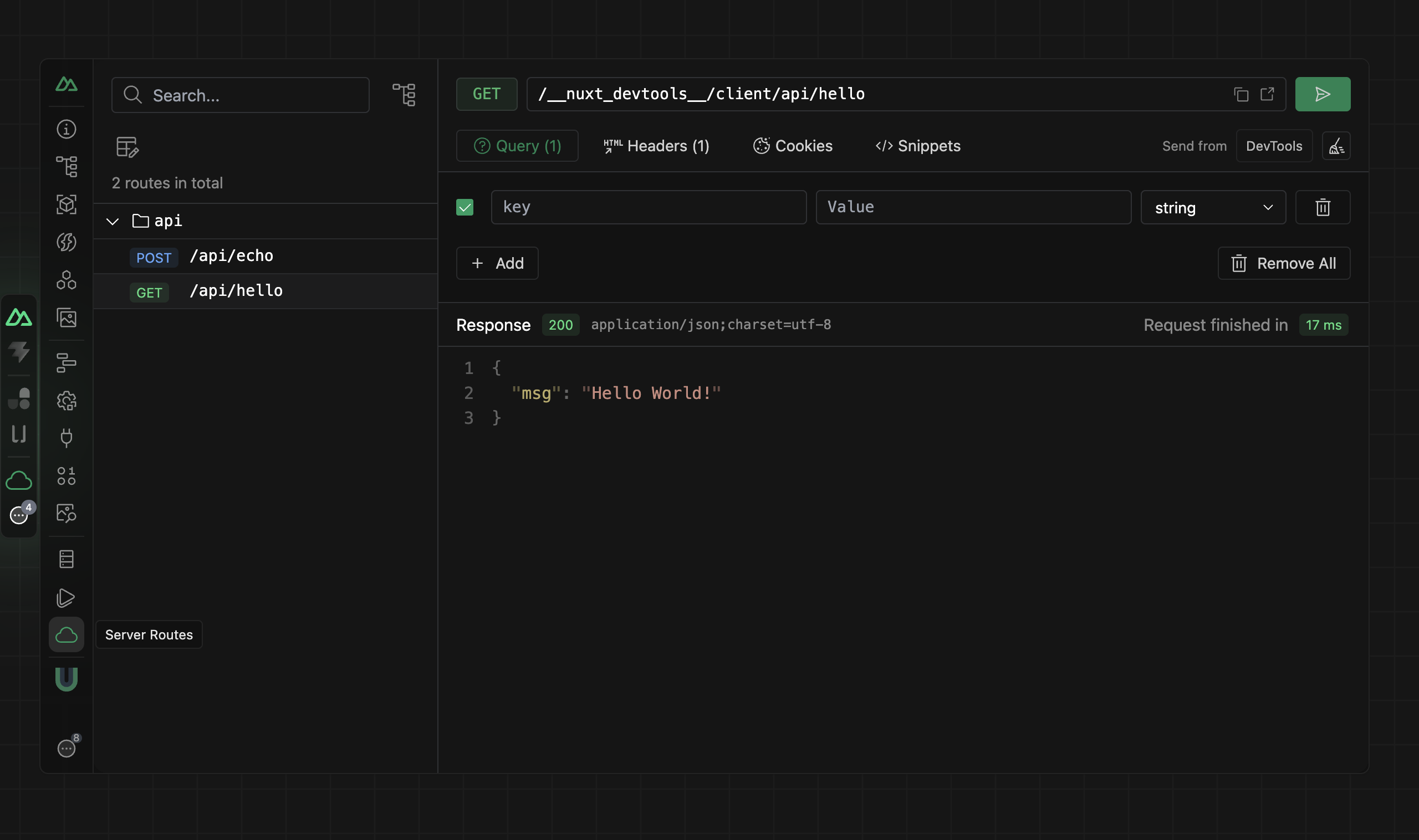
Here are the stacking layers to demonstrate this better:
Portable Devframes compose behind one standard handler, then framework-specific DevTools inherit and extend the host. Hover, focus, or click any part to explore its responsibility.
Vue DevTools is migrating to the Vite DevTools foundation. Vue capabilities such as component and reactivity inspection can then coexist with Vite integrations and general Devframes in the same host.
In a way, the story has come full circle: the wish that started with Nuxt DevTools now returns with a concrete foundation underneath. Nuxt DevTools v4 is expected to ship with Nuxt v5 and will also be available as a manual opt-in for Nuxt 4.
Next.js DevTools (Prototype)
I am also experimenting with bringing Devframes to Next.js DevTools. Internally, I already have a working prototype of the Devframes Hub running inside Next.js DevTools, without any modifications to the installed Devframe plugins.
(this is an internal prototype, it's not yet available and does not represent the final state)
Inheriting the Ecosystem
Sharing the foundation does not mean every DevTools experience should look the same. Framework-specific layers can be much richer because they understand their framework’s conventions and runtime. The infrastructure can be shared while the final experience remains specific.
Devframe itself remains independent of Vite and any framework. A future framework-specific DevTools host can mount the same Hub and plugins, then add its own knowledge and presentation. It will not get the full experience for free, but it no longer needs to rebuild the foundation before it can begin.
 DevframeUniversal DevTools DefinitionVite DevToolsFirst flagship host
Build Your Own DevTools
Devframe is not only for framework authors or established tooling teams. It can also provide the skeleton for project-specific DevTools and even one-off visualizations.
With built-in agent skills and a growing collection of real-world examples, we are exploring a future where you might ask an agent:
"Build me a one-off Devframe to visualize my app’s network request flow and highlight the bottlenecks."
Not every useful DevTool needs to become a permanent product or a published package. Some might exist only long enough to answer one question. We will keep improving Devframe and its ecosystem so these pluggable, extensible, and playful tools become practical for more people to build.
What’s Next
Devframe v1.0 stabilizes the interface for the community to build on and experiment with. Vite DevTools will follow with a stable release, while Nuxt DevTools v4 and the Vue DevTools migration continue testing the model at the framework level.
This is the first credible implementation toward the modular DevTools infrastructure we imagined years ago. There are more frameworks to connect, plugin conventions to refine, and agentic practices to discover.
What excites me is not one particular feature or integration, but the possibility that a good tool can be built once, travel further, and become better as more communities contribute to it: shared infrastructure underneath, specific and playful experiences on top, and structured capabilities available to both humans and agents.
We are still exploring the best practices, especially around agentic interfaces, permissions, and cross-tool collaboration. Any kind of contribution is welcome: integrations, experiments, design ideas, use cases, feedback, or simply trying the tools and sharing what you find.
If this direction sounds interesting to you, check out the Devframe repository, try building something with it, leave us some feedback, or join the Discord. I am looking forward to seeing what we can build together!
Thanks
This vision has come a long way with the help of many people.
A huge thank you to WEBFANSPLZ, who has put a tremendous amount of work into Vite DevTools. I also owe a lot to AKRYUM: his work on Vue DevTools and testing framework UIs has inspired me for years, and he spent a great deal of time brainstorming and prototyping these DevTools ideas with me.
HYFDEV helped coordinate with Rolldown and shape the APIs that made Vite DevTools possible. ATINUX planted the seed of Nuxt DevTools, invested so much in building it, and now continues that investment in Vite DevTools. DANIELROE provided valuable feedback on Nuxt DevTools and kept motivating us to push further on bundle size (the installed size of Vite DevTools core dropped by 30 MB from v0.1 to v0.5). POSVA provided great feedback on Devframe’s documentation and helped with the integrations.
Thanks also to YUYINWS for donating Oxc Inspector to Vite Plus DevTools and continuing to maintain it; and to SAKANA-Y and DVCOLOMBAN for being early adopters and contributing extensively to both Vite DevTools and Devframe.
And, of course, thanks to everyone who has contributed to Vite DevTools, Nuxt DevTools, and Vue DevTools along the way. This work is built on top of all those contributions.
Finally, thanks to Vercel for supporting these projects and making our ambitious plan for unified DevTools no longer feel like an unreachable dream.